Backstage: The Internal Developer Portal Everyone Wants (and Half of You Shouldn't Build)
"What Backstage IDP really is, what it can do, who should (and shouldn't) adopt it, and how it integrates with ArgoCD - an honest platform engineer's guide."
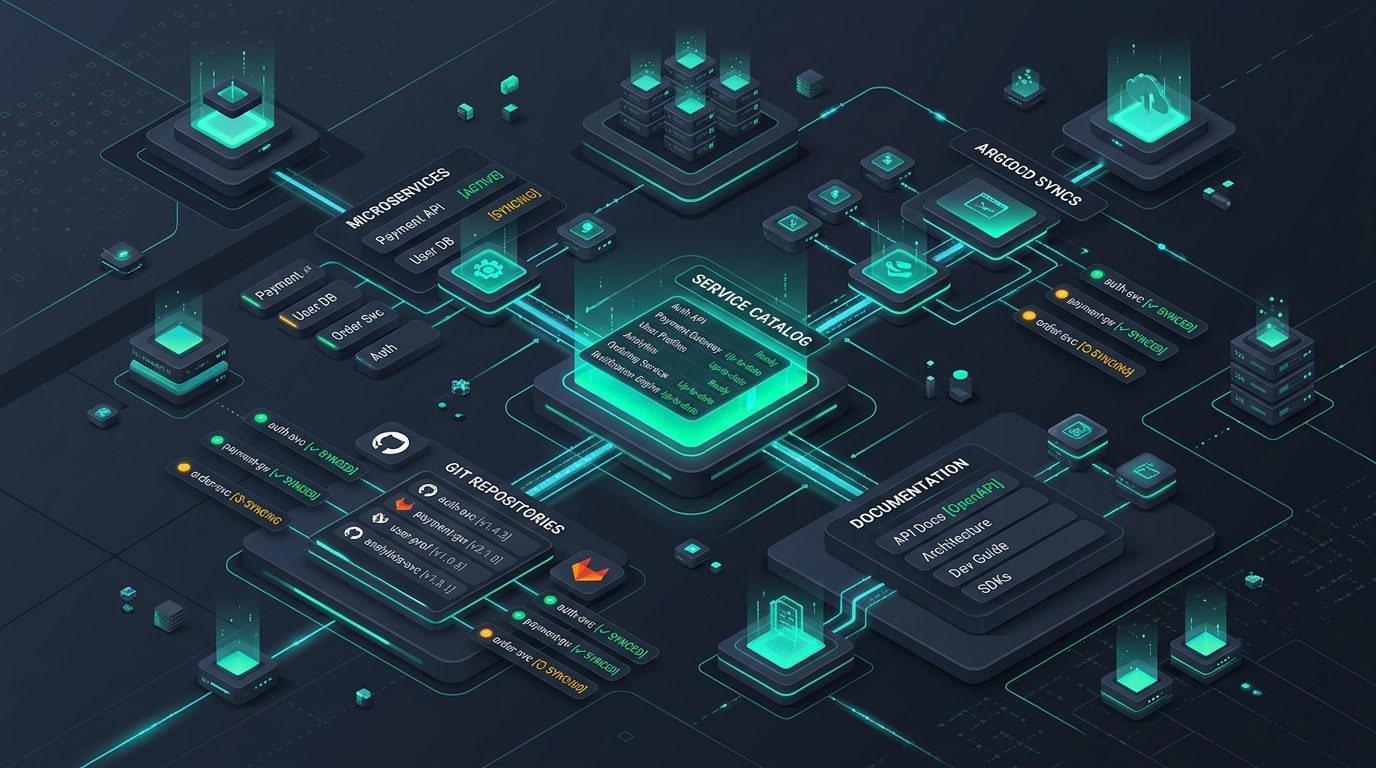
Table of Contents
“Who owns this service?”
Four words. The most expensive four words in any engineering org. Right behind them: “Where are the docs?”, “Which pipeline deploys this?”, and the classic “It worked on my cluster.”
If your company has more than a handful of microservices, you’ve lived this. Someone pages the wrong team. The wiki was last updated when Java 8 was hot. The new hire spends their first week archaeology-digging through Slack threads instead of shipping code. (Insert “This is fine” meme: engineer sitting in a burning room, except the fire is 400 microservices and the coffee is cold.)
Enter Backstage - the open-source framework from Spotify that promises to fix all of this with a single pane of glass. It’s genuinely great. It’s also genuinely not for everyone, and adopting it for the wrong reasons is a fantastic way to give yourself a second full-time job.
Let’s break down what it is, what it does, who should actually use it, and how it plays with your GitOps stack - especially ArgoCD.
1. What Is Backstage, Actually? Link to heading
First, let’s kill the most common misconception: Backstage is not a product you install. It’s a framework for building your own developer portal.
There is no apt install developer-portal. You get a React/TypeScript app, a plugin architecture, and a heartfelt “good luck.” Saying “we use Backstage” is like saying “we use Kubernetes” - technically true, but what you built on top of it is the actual story. Backstage is to developer portals what Kubernetes is to containers: a platform for building a platform. And just like Kubernetes, people adopt it for the wrong reasons all the time.
(If you’re still untangling the boundary between the underlying platform engine and the portal interface, check out my deep dive on IDP vs. Portal: Platform vs. Portal).
Some quick credentials: Backstage was open-sourced by Spotify in 2020 and is now a CNCF incubating project with a massive community. It’s the closest thing platform engineering has to a standard.
 1               ┌──────────────────────────────────────────────┐
 2               │           BACKSTAGE DEVELOPER PORTAL         │
 3               │   ┌──────────────────────────────────────┐   │
 4               │   │    Software Catalog & TechDocs       │   │
 5               │   │    (Unified Single Pane of Glass)    │   │
 6               │   └──────────────────┬───────────────────┘   │
 7               └──────────────────────┼───────────────────────┘
 8                                      │
 9     ┌──────────────────┬─────────────┼─────────────┬──────────────────┐
10     ▼                  ▼             ▼             ▼                  ▼
11┌──────────────┐ ┌──────────────┐ ┌─────────┐ ┌──────────────┐ ┌──────────────┐
12│ Git Repos    │ │ CI Pipelines │ │ ArgoCD  │ │ Kubernetes   │ │ Monitoring   │
13│ catalog-info │ │ GitLab CI    │ │ GitOps  │ │ Pods/Nodes   │ │ Grafana      │
14│ TechDocs md  │ │ Status/Runs  │ │ Sync    │ │ Cluster State│ │ PagerDuty    │
15└──────────────┘ └──────────────┘ └─────────┘ └──────────────┘ └──────────────┘
The framework rests on a few core pillars:
- Software Catalog: A central registry of everything: services, libraries, APIs, databases, ML models, and - crucially - who owns them. Each entity is described by a
catalog-info.yamlfile that lives in the repo next to the code. Ownership as code. Beautiful. - Software Templates (Scaffolder): Golden-path scaffolding. “New Spring Boot microservice” becomes a form in the portal: fill in a name, get a repo, CI pipeline, Helm chart, and catalog entry in minutes. Standards baked in, not bolted on.
- TechDocs: Docs-as-code. Markdown in the repo, rendered nicely in the portal. Docs that ship with the code have a fighting chance of being updated. Docs in a wiki have a fighting chance of being from 2021.
- Search: One search bar across the catalog and all docs. Revolutionary, which says sad things about the industry.
- Plugin Ecosystem: 100+ community plugins: Kubernetes, ArgoCD, Grafana, PagerDuty, cost insights, and more. This is both Backstage’s superpower and, as we’ll see, its trap.
Worth knowing if you’re starting today: As of v1.49.0 (March 2026), the New Frontend System is the default for newly created Backstage apps - the multi-year migration is basically done. And Backstage recently gained AI superpowers: an Actions Registry and MCP server support, so AI assistants can interact with your portal. Yes, your service catalog can now talk to an LLM. Whether that’s exciting or terrifying is between you and your security team.
2. A Day in the Life: With vs. Without a Portal Link to heading
Imagine Kasia joins your team on Monday.
- Without Backstage: She asks where the services live. Someone sends a Confluence link (stale). She asks who owns
payment-service. Three people say “not me.” She finds the repo, but the README says “TODO.” She opens a merge request, the pipeline fails on a step nobody remembers adding. It’s Thursday. - With Backstage: She opens the portal, searches
payment-service, sees the owning team, on-call rotation, TechDocs, API spec, CI status, and live deployment health. She needs a new service? The scaffolder template generates one with the golden Helm chart, GitLab pipeline, and catalog entry already wired. It’s Monday afternoon.
The magic ingredient is embarrassingly simple - a YAML file in each repo:
 1apiVersion: backstage.io/v1alpha1
 2kind: Component
 3metadata:
 4  name: payment-service
 5  description: Handles payments. Please don't break it.
 6  annotations:
 7    gitlab.com/project-slug: "platform/payment-service"
 8    argocd/app-name: payment-service
 9spec:
10  type: service
11  lifecycle: production
12  owner: team-payments
13  system: checkout
That’s it. That file is the contract between your team and the portal. The portal is read-mostly; the truth lives in Git, where it belongs.
3. The Honest Part: Who Should (and Shouldn’t) Use Backstage Link to heading
Here’s where I put down the pom-poms. Backstage has a dirty secret, and Spotify themselves said it out loud: adopting Backstage could be more than you bargained for.
It’s a living application. It needs hosting, upgrades, plugin maintenance, catalog curation, and - hardest of all - adoption. You’re not installing a tool; you’re launching an internal product.
You probably SHOULD consider Backstage if: Link to heading
- You have real scale pain: Rough heuristic: 30+ engineers, multiple teams, and a service count where “what do we even run?” is a genuine question.
- You have (or are building) a platform team: A dedicated team that can own the portal as a product, with an owner, a roadmap, and a feedback loop. (Learn more about setting up platform topologies in From DevOps to Platform Engineering).
- Your pain is concrete: Slow onboarding, zero service discoverability, and standards that exist only as tribal knowledge.
- Your culture will maintain metadata: Teams will actually maintain
catalog-info.yamlfiles. A catalog full of stale entries is worse than no catalog - it’s a museum of lies.
You probably should NOT (yet) if: Link to heading
- You’re a small team with a handful of services: A good README, GitLab’s built-in features, and a wiki cover you. Backstage would be overhead - a second job nobody applied for. (Galaxy Brain meme: 5 microservices → installs Backstage → spends 3 months theming it → services unchanged.)
- You have no platform engineering capacity: If nobody will own it, it will rot. I’ve seen portals die slower deaths than Internet Explorer.
- You want an off-the-shelf product: Backstage is a framework - if you want turnkey, buy turnkey.
- You’re adopting it because Spotify/Netflix does: They have hundreds of engineers and dedicated portal teams. You have Dave, and Dave is already on-call.
Build vs. Buy vs. Managed Link to heading
If self-hosting a React/TypeScript app sounds like a punishment, the market has options:
- Spotify Portal: Spotify’s commercial SaaS built on the Backstage core. Same DNA, someone else does the plumbing.
- Roadie: Managed Backstage hosting with batteries included.
- Red Hat Developer Hub: An opinionated, enterprise-supported Backstage distribution.
- Non-Backstage IDPs: Port, Cortex, OpsLevel and friends take a different, more productized approach to the same problem.
None of these are “better” - they’re different points on the build-vs-buy spectrum. The question is never “Is Backstage good?” It’s “Do we have the scale to need it and the capacity to feed it?”
4. Backstage + ArgoCD: The GitOps Power Couple Link to heading
Now the fun part. If you run GitOps (and if you run Kubernetes in 2026, you probably do), Backstage and ArgoCD are a match made in syncPolicy: automated heaven.
(If you’re running ArgoCD across large multi-cluster environments, check out my guide on Scaling ArgoCD to 3000+ Applications: HA and Multi-Cluster Sharding).
The logic is simple:
- ArgoCD knows what’s deployed and whether it’s healthy.
- Backstage knows what exists and who owns it.
Separately, each answers half the question. Together, one screen shows you the service, its owner, its docs, and its live deployment status. No more tab-hopping between the portal and the ArgoCD UI like it’s 2019.
How It Works Link to heading
There are two solid community plugins:
@roadiehq/backstage-plugin-argo-cd(frontend + backend)@backstage-community/plugin-redhat-argocd
The wiring is pleasantly boring:
- Install the plugin packages into your Backstage app.
- Point Backstage at your ArgoCD instance in
app-config.yamland provide an auth token via theARGOCD_AUTH_TOKENenvironment variable. - Map components to ArgoCD Applications with an annotation in
catalog-info.yaml:
1apiVersion: backstage.io/v1alpha1
2kind: Component
3metadata:
4  name: payment-service
5  annotations:
6    argocd/app-name: payment-service
7    # or select multiple apps by label:
8    # argocd/app-selector: app.kubernetes.io/part-of=checkout
Restart, open the component page, and there’s your ArgoCD overview card: sync status, health status, last synced, plus deployment history. Synced and Healthy in green, right next to the owner’s name - which is exactly who you’re about to message if it’s not green.
The Golden Path in Action: Scaffolder Template Link to heading
The real galaxy-brain move is making your scaffolder templates create the repo, CI/CD pipeline, catalog-info.yaml, and ArgoCD Application all in one form submission. Deploy-ready from minute zero. (Drake meme: ❌ “read the wiki, copy an old service, pray” - ✅ “fill in three fields, ship.”)
Here is an example of what a Backstage Scaffolder Golden Path (template.yaml) looks like in practice:
 1apiVersion: scaffolder.backstage.io/v1beta3
 2kind: Template
 3metadata:
 4  name: springboot-service-template
 5  title: Production Spring Boot Microservice
 6  description: Scaffolds a production-ready Java service with GitLab CI, Helm chart, ArgoCD app, and Catalog metadata.
 7spec:
 8  owner: team-platform
 9  type: service
10  parameters:
11    - title: Service Details
12      required: [name, owner, description]
13      properties:
14        name:
15          title: Service Name
16          type: string
17          description: Unique kebab-case name (e.g. payment-service)
18        owner:
19          title: Owner Team
20          type: string
21          description: Team responsible for this component (e.g. team-payments)
22        description:
23          title: Description
24          type: string
25  steps:
26    - id: template
27      name: Render Skeleton Files
28      action: fetch:template
29      input:
30        url: ./skeleton
31        values:
32          name: ${{ parameters.name }}
33          owner: ${{ parameters.owner }}
34          description: ${{ parameters.description }}
35
36    - id: publish
37      name: Publish Repository to GitLab
38      action: publish:gitlab
39      input:
40        repoUrl: gitlab.com?owner=platform&repo=${{ parameters.name }}
41        defaultBranch: main
42
43    - id: register
44      name: Register Component in Software Catalog
45      action: catalog:register
46      input:
47        repoContentsUrl: ${{ steps.publish.output.repoContentsUrl }}
48        catalogInfoPath: /catalog-info.yaml
Beyond ArgoCD: Expanding the Single Pane of Glass Link to heading
The same pattern repeats across your stack:
- Kubernetes Plugin: Pods, deployments, and errors per component, straight from the cluster.
- GitLab / GitHub Integration: Merge requests, pipeline status, and code insights on the entity page.
- Observability: Grafana, Prometheus, and Dynatrace plugins embed dashboards where the context already lives.
- On-Call Management: PagerDuty/Opsgenie cards show who’s holding the pager right now.
- Scorecards (Soundcheck, TechInsights): Codify your baselines: Does this service set
runAsNonRoot? Have an SLO? An owner? An on-call rotation? Turn “best practices” from a PDF nobody reads into a checklist the portal enforces.
⚠️ One Warning: Every plugin is a dependency you’ll maintain forever. Plugin soup is real. Choose plugins like you’re adopting pets, not collecting Pokémon.
5. How to Adopt Backstage Without Regretting It Link to heading
If you’ve read all this and still want in - great, you might actually be the target audience. Here’s the sane path:
- Start with the catalog only: Don’t hand-write 500 YAML files - use entity providers to auto-discover services from your GitLab/GitHub org. Coverage first, perfection later.
- Treat the portal as a product: Named owner, clear roadmap, and user feedback. “The platform team will maintain it in their spare time” is not a strategy; it’s an obituary.
- Add golden paths second: Encode your standards - Helm chart, pipeline, catalog entry, ArgoCD app - into scaffolder templates. Make the right way the easy way.
- Keep
catalog-info.yamlin the repo, owned by the team: The portal reads; teams write. If updating ownership requires a ticket to the platform team, you’ve built a bureaucracy with a React frontend. - Solve one real pain first: Onboarding? Deploy visibility? Docs? Pick the one that hurts most, fix it visibly, and let adoption spread by word of mouth instead of mandate.
- Keep the plugin count sane: Each one is a maintenance commitment. Audit quarterly; delete ruthlessly.
- Measure something: Time-to-first-deploy for new hires, catalog coverage percentage, number of “who owns this?” Slack messages per week (my personal favorite KPI).
6. Conclusion Link to heading
Backstage is a framework, not a product - a brilliant one when you have the scale to need it and the platform capacity to feed it, and an expensive science project when you don’t. The moment your catalog, your docs, and your ArgoCD deployment status live on one screen, you’ll wonder how you ever did the “who owns this?” dance without it.
And if you’re a 6-person startup reading this on your third coffee: close the tab, go write a good README, and come back in two years. The portal will wait. (Distracted Boyfriend meme: you / shiny new IDP / the documentation you were supposed to write anyway.)
I told my team we were getting an IDP. They asked which one. I said “the one backstage.” Three of them are still looking for the entrance.
Your turn: What’s your portal horror story? Stale catalogs, plugin soup, a scaffolder template that deploys to prod on Fridays? Drop it in the comments below - misery loves company, and platform engineers love post-mortems!
Further Reading & Resources Link to heading
- Backstage Official Documentation
- Backstage on the CNCF Landscape
- Spotify: Adopting Backstage Could Be More Than You Bargained For
- Roadie’s ArgoCD Plugin & Red Hat’s ArgoCD Plugin
- Backstage Plugin Directory
- IDP vs. Portal: Platform vs. Portal
- Scaling ArgoCD to 3000+ Applications: HA and Multi-Cluster Sharding
Related Articles
IDP vs. IDP: Platform vs. Portal - Clearing the Confusion
Internal Developer Platform or Internal Developer Portal? They share an acronym but serve different purposes. A deep dive into the difference between the 'Engine' and the 'Interface', and why functionality beats aesthetics.
From DevOps to Platform Engineering: The Evolution of Infrastructure
A personal journey transitioning from traditional DevOps to Platform Engineering. Discussing Team Topologies, Cognitive Load, Thinnest Viable Platform (TVP), and why 'You Build It, You Run It' shouldn't mean 'You Page It'.